This tutorial explains the simplest way to connect to Google’s powerful AI, the Gemini API, and generate text using PHP.
When referring to older guides online, you may often run into errors because they specify deprecated models (such as gemini-1.5-flash). This article provides fully tested code updated for the latest model (gemini-3.6-flash).
You will need a PHP-enabled environment (such as a local development server or web hosting).
Note for Local Testing: Opening a PHP file directly in your browser (file://...) will not execute the script. If testing locally, use a development environment like XAMPP, MAMP, Local, or run the built-in PHP development server (php -S localhost:8000).
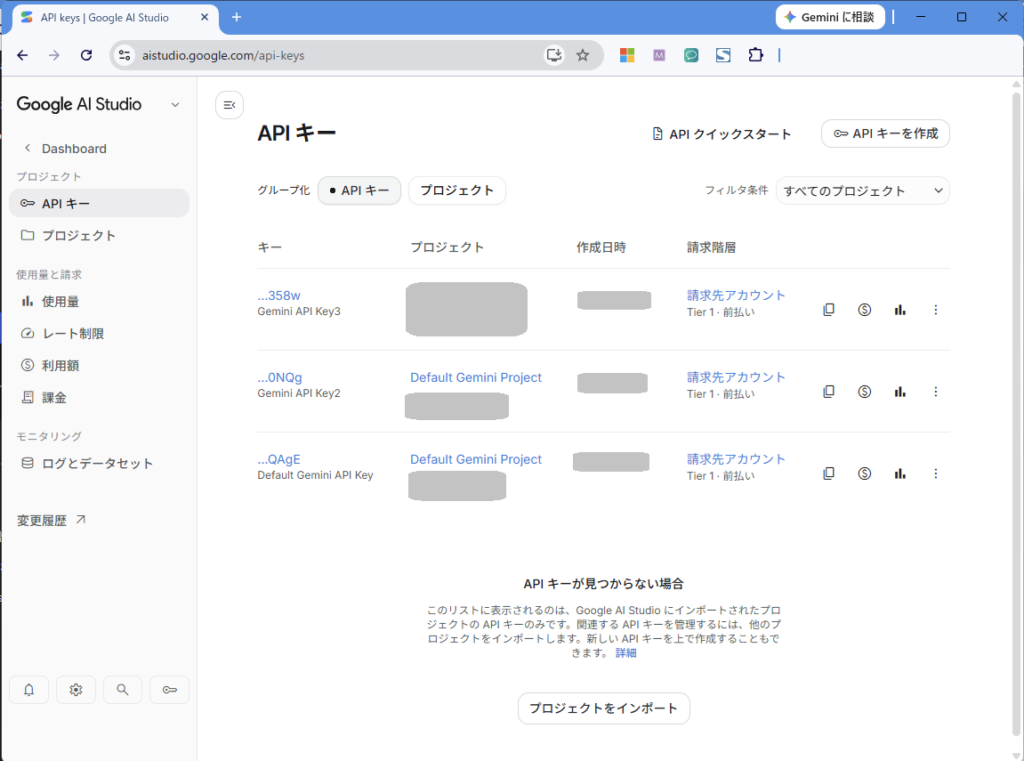
Gemini API Key: Visit Google AI Studio (free) and click “Get API key” to generate your key.
(Japanese version)
Copy-Paste Code: Gemini API Connection
Save the following code as gemini_test.php and replace YOUR_GEMINI_API_KEY with your actual API key.
<?php
header('Content-Type: text/html; charset=utf-8');
// 1. API Key Configuration (Replace with your actual API key)
$api_key = 'YOUR_GEMINI_API_KEY';
// 2. Endpoint URL (Specifying the latest stable model: gemini-3.6-flash)
$url = '
Upon accessing the URL, PHP will send a request to the Gemini API in the background. After a few seconds, the response (Response from Gemini: …) will appear on your screen!
Japanese version
Troubleshooting & Common Errors
1. 404 Not Found Error
The model name in your endpoint URL might be incorrect or outdated. Gemini models are updated frequently, so using older model names like gemini-1.5-flash or gemini-2.5-flash may cause errors. Always check the official documentation for the latest model name .
2. cURL Extension Disabled
Depending on your PHP configuration, the cURL extension may be disabled. Check your php.ini file and ensure extension=curl is enabled (uncommented).
Next Steps: Building Dynamic Web Applications
While this example sends a fixed prompt (“Hello! Please give a short…”), you can easily replace the $data['contents'] text with input received from an HTML form ($_POST). This allows you to build custom AI chatbots and interactive tools in PHP!

 generativelanguage.googleapis.com(https://generativelanguage.googleapis.com/v1beta/models/gemini-3.6-flash:generateContent?key=)' . $api_key;
// 3. Request Data (Prompt)
$data = [
'contents' => [
[
'parts' => [
['text' => 'Hello! Please give a short one-sentence self-introduction.']
]
]
]
];
// 4. Send Request via cURL
$ch = curl_init($url);
curl_setopt($ch, CURLOPT_RETURNTRANSFER, true);
curl_setopt($ch, CURLOPT_POST, true);
curl_setopt($ch, CURLOPT_HTTPHEADER, ['Content-Type: application/json']);
curl_setopt($ch, CURLOPT_POSTFIELDS, json_encode($data));
$response = curl_exec($ch);
curl_close($ch);
// 5. Parse and Display Results
$result = json_decode($response, true);
// Extract the response text
$reply = $result['candidates'][0]['content']['parts'][0]['text'] ?? 'Error: Unable to retrieve response.';
echo "<h2>Response from Gemini:</h2>";
echo "<p>" . nl2br(htmlspecialchars($reply)) . "</p>";
generativelanguage.googleapis.com(https://generativelanguage.googleapis.com/v1beta/models/gemini-3.6-flash:generateContent?key=)' . $api_key;
// 3. Request Data (Prompt)
$data = [
'contents' => [
[
'parts' => [
['text' => 'Hello! Please give a short one-sentence self-introduction.']
]
]
]
];
// 4. Send Request via cURL
$ch = curl_init($url);
curl_setopt($ch, CURLOPT_RETURNTRANSFER, true);
curl_setopt($ch, CURLOPT_POST, true);
curl_setopt($ch, CURLOPT_HTTPHEADER, ['Content-Type: application/json']);
curl_setopt($ch, CURLOPT_POSTFIELDS, json_encode($data));
$response = curl_exec($ch);
curl_close($ch);
// 5. Parse and Display Results
$result = json_decode($response, true);
// Extract the response text
$reply = $result['candidates'][0]['content']['parts'][0]['text'] ?? 'Error: Unable to retrieve response.';
echo "<h2>Response from Gemini:</h2>";
echo "<p>" . nl2br(htmlspecialchars($reply)) . "</p>";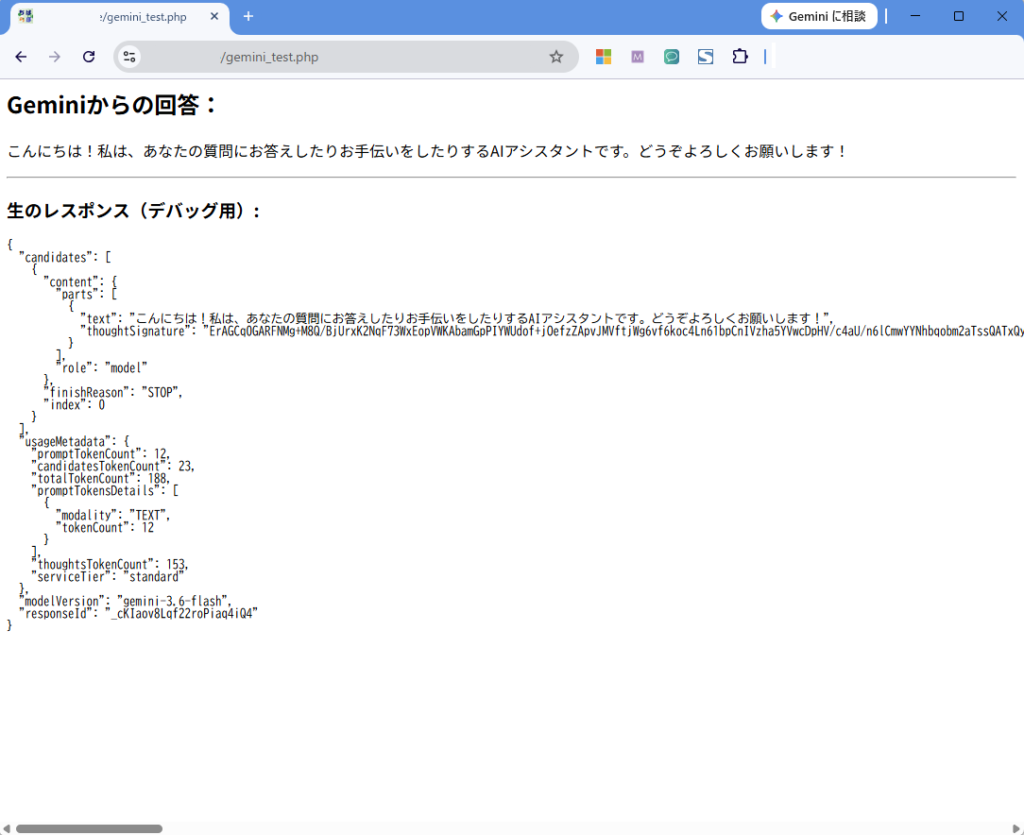

コメント